
What Is a Court Docket in Hamilton County
A court docket is the official, chronological record of every action taken in a case. Think of it as a timeline. When a complaint is filed, the docket gets an entry. When a judge issues an order, the docket gets an entry. When a hearing is scheduled, continued, or completed, that shows up too. The docket does not contain the full text of documents. It lists them, links to them where the court permits, and notes what happened and when.
Hamilton County courts produce dockets across multiple divisions. Common Pleas Civil and Criminal dockets live in the Clerk of Courts portal. Municipal Civil and Municipal Criminal/Traffic dockets are there as well. Domestic Relations and Court of Appeals cases round out the Clerk's coverage. Probate Court runs a separate public inquiry system, and that system lets users click a DETAIL link to open a case docket with entries coded in different colors and, where available, PDF or TIF images of actual documents.
A docket is not the same as the underlying case file. The file holds the actual complaint, motions, exhibits, and orders in full. The docket is the index that tells you the file exists, when things were filed, and in what order. Both are useful, but they serve different purposes. The docket is the place to start. The full file is the next step, and in Hamilton County that next step sometimes requires a visit to the Clerk's office or an online copy request, because Ohio Sup.R. 45(C) lets the Clerk decide which documents are accessible remotely.
Hamilton County Docket vs. Full Case Record
People sometimes confuse the docket with the full case record. They are related but different. The docket is the summary log of events. The full case record is the collection of every document, exhibit, order, and financial record filed in the case. Both are public to the extent Ohio law allows, but they are accessed differently and serve different needs.
| Docket | Full Case Record | |
|---|---|---|
| What it is | Chronological list of case events | All filed documents, exhibits, orders |
| Format | Entry-by-entry log with dates and event types | Paper or digital files, PDFs, TIF scans |
| Online access | Generally available through Clerk or Probate portal | Limited by Sup.R. 45(C); may require in-person visit or copy request |
| Cost | Free to view index online | $0.10/page plain; $1.00/page certified |
| Best use | Confirming hearing dates, case status, key events | Legal review, appeals, evidence, certified copies |
For most people checking a hearing time or verifying that an order was entered, the docket is enough. Attorneys and parties who need the actual motion text or a certified decree need to go further. That process runs through the Hamilton County Clerk of Courts for most divisions and through Probate Court directly for probate matters.
How to Find Hamilton County Dockets Online
The Clerk of Courts Records Search is the main entry point for Hamilton County dockets. It is organized as a directory of search types, not a single search box. One of those search types is specifically labeled Court Date/Schedules, and it is the most direct path to docket-style information. The other search paths, by name and by case number, also pull up full case records that include a docket view.
The Court Date/Schedules section within the Clerk portal gives six specific searches. Each one targets a different angle on docket information without requiring you to open a full case record first. These searches are listed in the table in the next section. To reach any of them, navigate to the Records Search landing page and look for the Court Date/Schedules category.
- Open the Clerk of Courts Records Search page.
- Select Court Date/Schedules for hearing lookups, eviction schedules, judge calendars, attorney schedules, or public-party schedules. Or select Search by Name to find a case first, then review its docket entries.
- Enter the required information: case number, party name, attorney name, or judge name depending on the search type you picked.
- For name searches, choose the right court division from the toggle list: Common Pleas Civil, Common Pleas Criminal, Municipal Civil, Municipal Criminal/Traffic, Domestic Relations, or Court of Appeals.
- Open the case summary. Use the View Case Documents tab to find page numbers if you need to request copies of specific docket entries.
Note: the Clerk's search does not include City of Cincinnati parking violations. For background checks, those are handled in person at the Justice Center, Room 100, not through the online docket portal.
Hamilton County Court Date and Schedule Searches
The Court Date/Schedules section of the Clerk portal is specifically designed for docket lookups rather than full case history. It lets a person find a hearing time, an attorney's calendar, or a judge's upcoming cases without pulling up an entire case record. Each search type in that section targets a different question.
| Search Type | What It Answers | Key Input |
|---|---|---|
| By Case Number | All scheduled and past events for a specific case | Case number |
| Eviction Schedule by Date | All eviction hearings set for a given date | Hearing date (mm/dd/yyyy) |
| Eviction Schedule by Name | Eviction hearings tied to a specific party name | Party name |
| Attorney Schedule | All hearings on an attorney's calendar | Attorney name or bar number |
| Public Parties | Hearings involving a named party across divisions | Party name |
| Court/Judge | Upcoming hearings before a specific judge or courtroom | Judge name or court identifier |
These six searches cover the most common reasons people look at Hamilton County dockets. A tenant checking an eviction date, a family member confirming a sentencing hearing, an attorney reviewing a judge's calendar, a party tracking their own case, all of them can find what they need without visiting the Clerk's office. The searches are free and public. That said, the Clerk carries a reminder that data-mining efforts have hampered its redaction process, and bulk use can result in access delays.
The screenshot below comes from the Hamilton County Common Pleas specialized dockets page, showing where specialized docket programs are described for the court.
Cases in specialized dockets like Drug Court, Veterans Treatment Court, and Mental Health Court still appear in the Common Pleas Criminal index, so the same Clerk search tools apply when looking for docket entries in those programs.
What a Hamilton County Docket Entry Shows
Every docket entry in a Hamilton County court file covers a few core pieces of information. The exact format varies a little by division and by whether you are viewing Clerk system entries or Probate Court entries, but the core fields are consistent. Understanding each field makes it easier to read a docket quickly and spot the entries that matter most.
| Field | What It Shows |
|---|---|
| Entry Date | The date the clerk logged the action or the court issued the order. This is the date the event hit the record, which may differ from when a document was actually signed. |
| Event Type | A short label for what happened: complaint filed, motion filed, order entered, hearing scheduled, continuance, capias issued, judgment, sentencing, notice of appeal, etc. |
| Party Filing | Who took the action: plaintiff, defendant, court, clerk, or a named attorney. In Probate, this may list fiduciary, guardian, or applicant instead. |
| Document Link | A link or PDF/TIF icon if the document is available online. Under Sup.R. 45(C), not every document is posted remotely. If no link appears, the document may still exist and can be requested. |
| Case Number | The division-specific ID. The format varies by court: Common Pleas Civil, Common Pleas Criminal, Municipal, and Court of Appeals each use a different numbering scheme. |
| Judge / Magistrate | The assigned judicial officer. Knowing the judge can help confirm hearing schedules and identify which courtroom to visit. |
| Case Status | The current state of the file: open, pending, disposed, closed, sealed, stayed, or dismissed. Probate Court color-codes its docket entries to make status easier to read at a glance. |
For Probate Court cases, the docket is accessed by clicking the DETAIL link in the Probate public inquiry system. PDF and TIF images of filed documents may be linked directly from docket entries for cases where documents have been scanned. Probate docket information goes back generally to January 1, 1993, and Probate documents are generally available since January 1, 2000.
Courts That Publish Dockets in Hamilton County
Hamilton County has several courts, and each one handles its own docket either through the Clerk of Courts portal or through a separate dedicated system. Not every court publishes its docket in the same way or at the same depth.
- Court of Common Pleas (Civil and Criminal) - dockets are in the Clerk of Courts portal. Civil covers major civil litigation, foreclosure, and liens. Criminal covers felony cases, indictments, and post-conviction matters.
- Municipal Court (Civil and Criminal/Traffic) - dockets are in the Clerk portal under Municipal Civil and Municipal Criminal/Traffic categories. Evictions, small claims, misdemeanors, and traffic cases all appear here.
- Domestic Relations Division - dockets are in the Clerk portal under the Domestic Relations category. Divorce, dissolution, custody, and support cases are tracked here.
- First District Court of Appeals - dockets are in the Clerk portal under Court of Appeals. The Clerk serves as the official record keeper for First District appeals from Hamilton County trial courts.
- Probate Court - maintains its own public inquiry system at probatect.org/recordsearch. Case Search, Marriage License, Mental Health, and Archive Search are all separate docket paths within that system.
- Federal courts - the U.S. District Court and U.S. Court of Appeals for the Sixth Circuit use PACER for federal dockets. These are separate from county dockets and require a PACER account.
The Reentry Docket and other Common Pleas specialized programs do not have their own separate portals. Cases handled through Drug Court, Veterans Treatment Court, Mental Health Court, or the Reentry Docket under Hon. Wende C. Cross are filed in Common Pleas Criminal and appear in the same Clerk index as all other felony cases. The screenshot below comes from the Hamilton County Reentry Docket page.
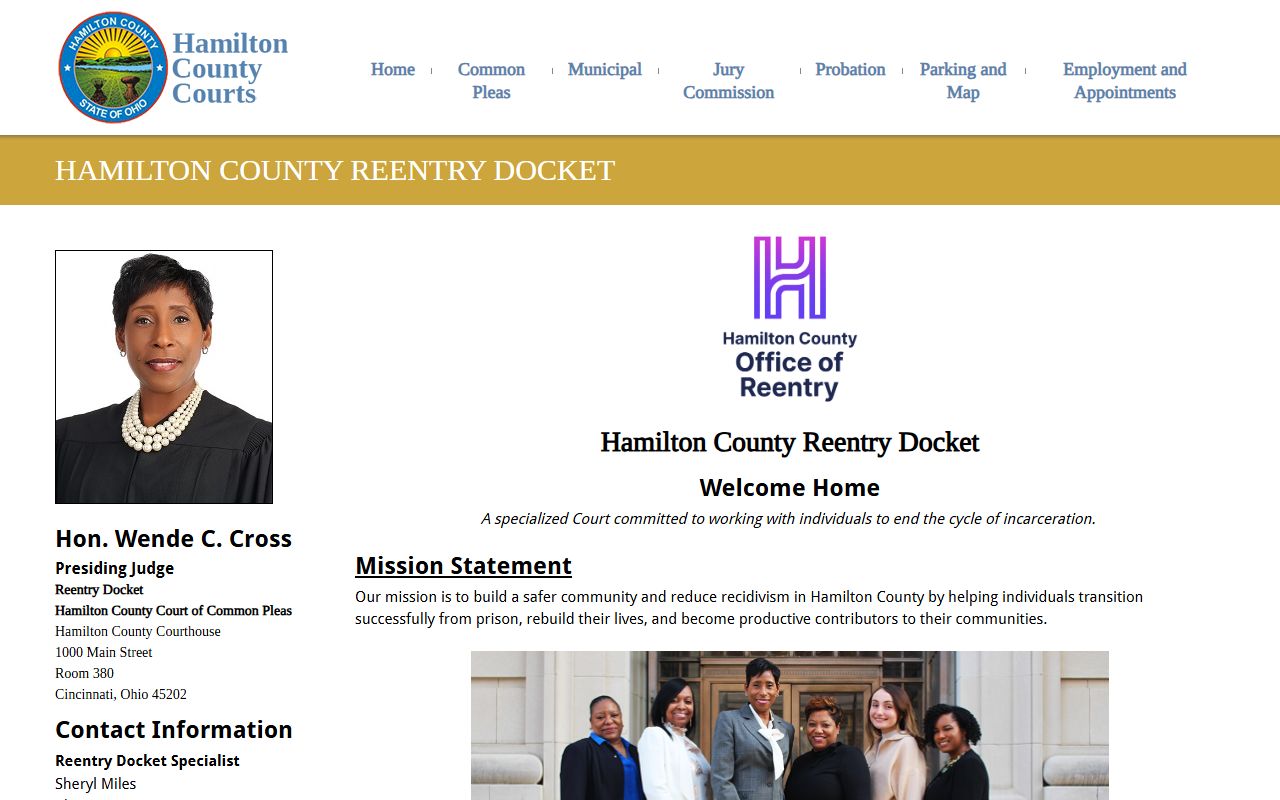
Reentry Docket participants go through phased check-ins with the judge and reentry team, and those hearings appear as scheduled events in the Common Pleas Criminal docket just like any other case event.
Hamilton County Probate Court Dockets
The Hamilton County Probate Court at 230 East Ninth Street runs its own public inquiry system, separate from the Clerk of Courts portal. The Probate system covers four docket search types, each with its own coverage window and focus.
| Search Type | What It Covers | Online Coverage |
|---|---|---|
| Case Search | All probate cases except Marriage License and Mental Health (estates, wills, trusts, guardianships, name changes, adoptions, etc.) | Case index from Jan. 1, 1974; docket entries from Jan. 1, 1993; documents from Jan. 1, 2000 |
| Marriage License | Alphabetical index of brides and grooms who applied for a marriage license in Hamilton County | Since Jan. 1, 1984 |
| Mental Health | Index of persons probated for mental illness or intellectual disability | Since Jan. 1, 1987 |
| Archive Search | Bound-volume historical records: estates, wills, guardianships, marriages, minister licenses, birth records, naturalizations, journal entries, physician certificates | Earliest records from 1791 |
To view a Probate docket, search by case number or party name in the Case Search, then click the DETAIL link. The docket opens with color-coded entries and PDF or TIF links where documents are available. Mental health docket entries may be subject to additional privacy limits. The archive records in the Probate system go back to 1791, which makes Hamilton County Probate one of the richer genealogy and legal-history resources in Ohio. For the full Probate page including filing steps and fees, see probate records.
Hamilton County Docket Entry Glossary
Docket entries use legal shorthand. If you read a Hamilton County case docket and hit a term you do not know, the list below covers the most common ones. These terms appear across civil, criminal, and probate dockets in the Clerk and Probate portals.
- Complaint
- The document that starts a civil case. It states the plaintiff's claims and what relief they want from the court.
- Summons
- A court notice telling the defendant that a case has been filed and requiring a response by a set date.
- Indictment
- A grand-jury charging document used in felony criminal cases. Replaces a complaint in Common Pleas Criminal.
- Arraignment
- The first formal hearing where charges are read and the defendant enters a plea. Often the first entry in a criminal docket after filing.
- Motion
- A written request asking the court to do something, such as dismiss a case, grant a continuance, or exclude evidence. Each motion filed creates a docket entry.
- Order
- The court's written decision on a motion or other matter. Orders are binding and appear as their own docket entries.
- Continuance
- A postponement of a scheduled hearing or deadline. A continuance entry will list the new date if set.
- Capias
- An Ohio court order directing law enforcement to bring a specific person before the court. A capias is issued when someone misses a hearing or violates a court condition. It is effectively a warrant issued by the judge.
- Judgment
- The final decision of the court determining the legal rights of the parties or the outcome of a criminal matter.
- Disposition
- The final outcome of a case or a specific charge. Common dispositions include dismissed, guilty plea, not guilty finding, sentence, and judgment entered.
- Dismissed with prejudice
- The case is over and cannot be refiled. A permanent bar.
- Dismissed without prejudice
- The case is over for now but may be refiled if the party chooses.
- Garnishment
- A post-judgment process that takes wages or bank funds to satisfy a debt owed under a court judgment.
- Restitution
- A payment ordered by a criminal court to compensate a victim for their loss.
If you see bond, surety, or recognizance on a criminal docket, those relate to the terms under which a defendant is released pending trial. A bond entry may also appear as a capias recall if the bond issue has been resolved. For more term definitions and how a full case record is organized, see Hamilton County court records.
Specialized Dockets and What They Mean in Common Pleas
The Hamilton County Court of Common Pleas runs four certified specialized dockets. These programs use a treatment-focused judicial model for defendants with mental illness, substance use, trauma, or reentry needs. Each docket is certified by the Supreme Court of Ohio under state rules. Participants must meet eligibility requirements, including no history of serious or repetitive violence, before a judge accepts them into the program.
Drug Court, recognized as the first in Ohio and presided over by Hon. Nicole L. Sanders, appears in Common Pleas Criminal dockets. Veterans Treatment Court under Hon. Christopher A. Wagner handles veterans with treatment needs under Sup.R. 36.20 through 36.29. Mental Health Court operates under Hon. Alison Hatheway, Hon. Jody M. Luebbers, Hon. Katie Casch, and Hon. Virginia Tallent. The Reentry Docket under Hon. Wende C. Cross targets low-level, nonviolent offenders transitioning from state prison back to Hamilton County. Reentry participants move through phases of biweekly, then monthly, then 45-day check-ins with the judge and reentry team, and each check-in generates a docket entry in the Common Pleas Criminal index.
If you search the Clerk portal for a case in one of these programs, the docket will look like any other Common Pleas Criminal case. Hearing entries will note the event type, date, and assigned judge but will not label the case as Drug Court or Reentry. The court page at hamiltoncountycourts.org lists current program details and contacts.
Important: Specialized docket files are not separately indexed. Search Common Pleas Criminal by name or case number in the Clerk portal the same way you would for any felony case. The docket entries reflect the specialized program phases but do not use a separate search path.
Federal Court Dockets for Hamilton County Cases
Some Hamilton County matters go to federal court rather than state court. Federal dockets are not in the Clerk of Courts portal. They are in PACER, the federal Public Access to Court Electronic Records system.
Hamilton County is in the U.S. District Court for the Southern District of Ohio, Cincinnati seat. Federal civil rights claims, diversity cases, and federal criminal matters are filed there. The Southern District Cincinnati courthouse is the Potter Stewart U.S. Courthouse at 100 East Fifth Street. Appeals from that court go to the U.S. Court of Appeals for the Sixth Circuit, which is also located in Cincinnati. The screenshot below comes from the Sixth Circuit official site, which links directly to PACER for federal docket access.
PACER charges a small per-page fee for document downloads. Basic case searches and docket lists are lower cost. Registration at pacer.uscourts.gov is free. If a Hamilton County case was removed to federal court or filed there originally, PACER is the only place to find that docket.
Access Limits on Hamilton County Docket Documents
The docket index is generally free and public in Hamilton County. Documents linked from docket entries are a different matter. Ohio Sup.R. 45(C) gives the Clerk the option to limit remote document access even when a record is technically public. The Clerk's search page carries an explicit notice about this rule and directs users to visit the office or submit an online copy request if a document is not available through the portal.
Several categories of Hamilton County records never appear in the public docket or have limited visibility:
- Juvenile court records are restricted under Ohio law, including R.C. 2151.14, and sealing and expungement under R.C. 2151.356 and 2151.358 can further limit access.
- Sealed and expunged adult records are removed from public view. Adult sealing and expungement are governed by R.C. 2953.31 through 2953.36.
- Mental health probate cases have limited public access within the Probate system.
- Adoption files are generally confidential.
- Personal identifiers like Social Security numbers are redacted from public-facing documents.
- Ongoing investigation records may be withheld.
The Clerk also warns that bulk or data-mining access to its portal has interfered with the redaction process. Some document requests may require a second request as a result. Commercial requesters are limited to no more than ten records per month and must route requests to publicrecords@cms.hamilton-co.org. For more on what is restricted and why, see Hamilton County court records or arrest records.
How to Read a Hamilton County Docket Efficiently
A long case docket can be hard to follow. Here are a few ways to read one faster. Start at the bottom and work up. The oldest entries are at the top in most systems; the most recent activity is near the bottom. The final disposition entry is usually the last substantive entry before any post-judgment filings. That entry tells you whether the case ended in a judgment, a plea, a dismissal, or a decree.
Look for entries with document links first. An entry marked PDF or TIF in the Probate system, or a View Case Documents tab item in the Clerk system, tells you that actual text is available. If no link appears, the document still exists but may require a records request. Check the entry date versus the event date if both are shown, since a hearing that happened on one day may not be entered until the next business day.
Q: I see a capias entry on a docket. What does that mean? A capias is a court order to bring the named person before the court. It is usually issued after a missed hearing or a probation violation. If a capias appears on your docket and has not been recalled or quashed, it is an active order. Contact an attorney before taking any action, and check the docket again for a later recall entry.
For criminal dockets, watch for the arraignment entry, any bond or capias entries, plea entries, and the final disposition. For civil dockets, focus on the judgment entry, any garnishment or levy filings, and any appeal notice. In Probate dockets, look for the DETAIL view and check whether PDF images are attached to key entries like inventory, accounting, or final decree. More detailed help on interpreting case records is on the Court of Common Pleas page.