
How to Search Hamilton County Court Records
The main tool is the Hamilton County Clerk of Courts Records Search. It is not a single search box. The landing page is a directory of search paths, including name search, case number search, court date and schedule search, ticket search, attorney search, and judge search. The index is free and open to the public. Records span Common Pleas Civil, Common Pleas Criminal, Municipal Civil, Municipal Criminal/Traffic, Domestic Relations, and Court of Appeals.
Before you start, know what you have. A name works when you do not have a case number. A case number gets faster results. You also need to choose the right court division, since records are separated by division in the portal. For criminal name searches, a date of birth helps narrow results. Date range filters cut down large result sets. The Clerk tip says enter the last name plus the first few letters of the first name for best results.
One notice appears at the top of the portal. The Clerk cites Ohio Sup.R. 45(C), which says a clerk is not required to provide remote access to every case file or document. If a record exists but is not available online, you can visit the Clerk's office or submit an online record request. A second notice warns that data-mining efforts have slowed the redaction process, and some document requests may require a follow-up request.
The screenshot below comes from the Clerk Search by Name page, where court-category toggles, date fields, and the date-of-birth filter for criminal cases are all visible.
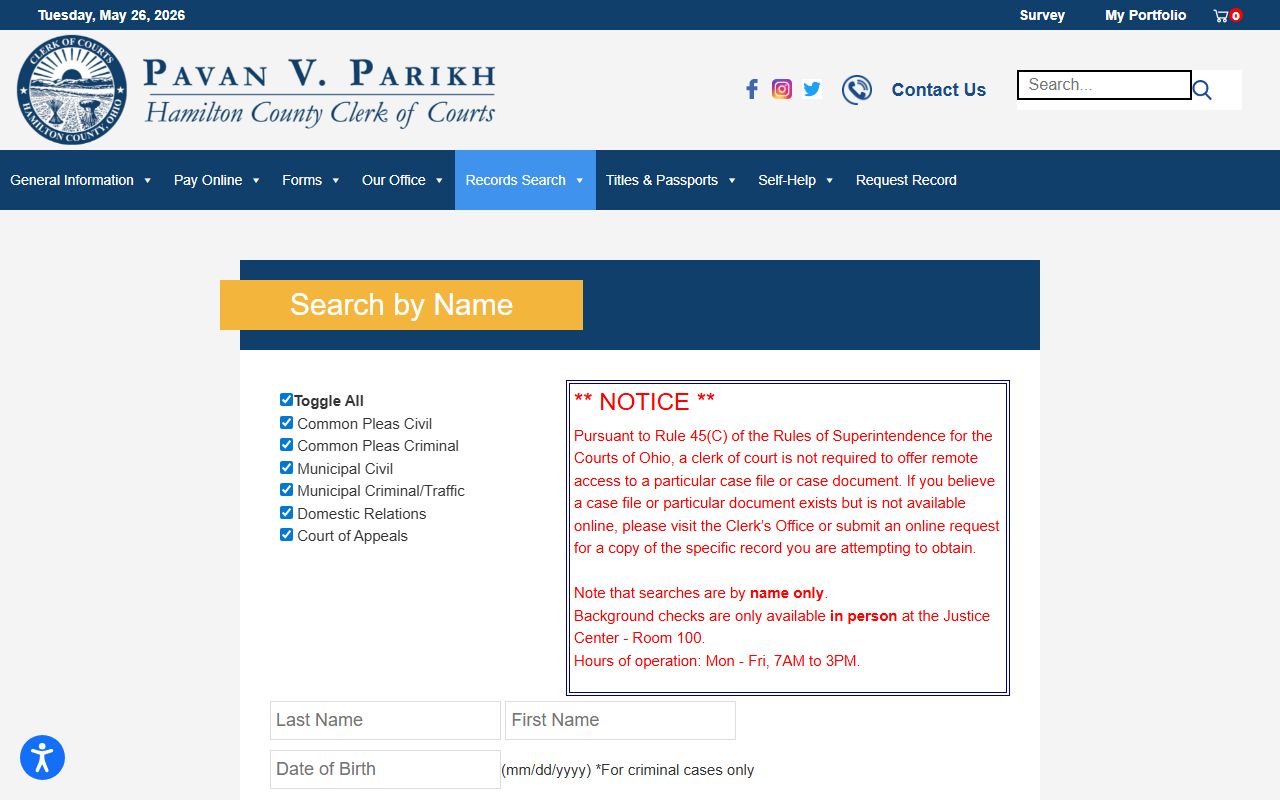
The name search covers all six court divisions at once when "Toggle All" is selected, or you can limit to one division if you know where the case was filed.
- Open the Clerk Records Search landing page and choose Search by Name or Search by Case Number.
- Enter the last name. Add the first few letters of the first name to cut down results. For criminal cases, enter date of birth in mm/dd/yyyy format.
- Select the correct court division using the toggles. "Toggle All" searches every division at once.
- Add a date range if you know roughly when the case was filed or when a hearing occurred.
- Open the case summary. Use the View Case Documents tab to find page numbers. If a document is not available online, submit a record request or visit the Clerk's office.
Hamilton County Court Records Search Fields
The Search by Name form has seven distinct inputs. Each plays a different role. The court-category toggle is where most people make mistakes: leaving it on "Toggle All" when the case is in one division adds noise to results. The date-of-birth field applies only to criminal searches and is optional, but it is one of the most useful filters when a name is common.
| Field Label | Type | Required | Notes / Format |
|---|---|---|---|
| Court category | Checkbox/toggle | Unspecified | Toggle All; Common Pleas Civil; Common Pleas Criminal; Municipal Civil; Municipal Criminal/Traffic; Domestic Relations; Court of Appeals. |
| Last Name | Text | Implied for name search | Clerk tip: enter last name plus first few letters of first name for best results. |
| First Name | Text | Optional | First few letters narrow results; full name can miss records with name variations. |
| Date of Birth | Date | Optional / criminal only | mm/dd/yyyy format; labeled "For criminal cases only." |
| Date From | Date | Optional | mm/dd/yyyy; narrows results to a filing or docket date range. |
| Date To | Date | Optional | mm/dd/yyyy; use with Date From to define the search window. |
| Search button | Button | n/a | Executes the query; label not captured in text inspection. |
The screenshot below comes from the Clerk Search by Case Number page, where the same court-category toggles appear alongside the case number field and a Case Number Help image.
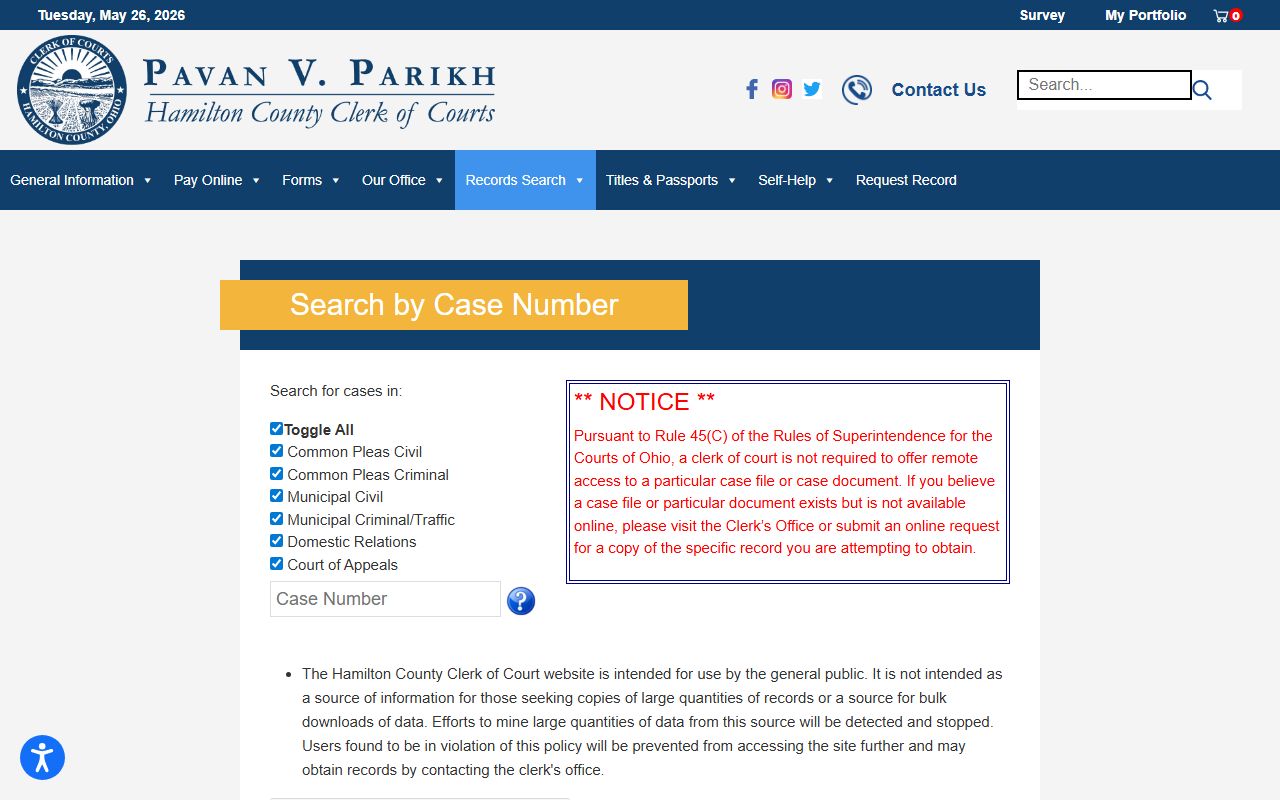
Case number search is faster when you already have the number. The portal includes a Case Number Help image for users who are not sure how case numbers are formatted in each division.
Note: The search does not include City of Cincinnati parking violations. Background checks are only available in person at the Justice Center, Room 100, Monday through Friday from 7 a.m. to 3 p.m.
Types of Hamilton County Court Records
Hamilton County court records fall into several categories based on which court and division filed the case. Each division produces its own file type, and the Clerk's portal separates them by toggle on the search page. Civil and criminal records come from both Common Pleas and Municipal Court, but the scope of cases differs by court level. Understanding the split saves time when you choose a division.
Common Pleas is the county's main trial court. It handles felony criminal cases, major civil litigation, divorce and dissolution, juvenile matters, and probate. The Municipal Court sits one level below and handles misdemeanors, traffic offenses, evictions, small claims, and limited civil matters up to $15,000. Appeals from both go to the First District Court of Appeals, and those records are also indexed in the Clerk's portal.
- Common Pleas Civil records - major civil complaints, torts, contract claims, foreclosure-related filings, liens, declaratory judgments, and class actions.
- Common Pleas Criminal records - felony indictments, arraignments, pleas, trials, sentencing, and post-conviction filings.
- Municipal Civil records - smaller civil actions, evictions, small claims, and garnishments.
- Municipal Criminal/Traffic records - misdemeanors, ordinance offenses, criminal tickets, traffic misdemeanors, and traffic citations; see traffic court records for citation-specific detail.
- Domestic Relations records - divorce, dissolution, legal separation, child support, custody, and parenting-time matters.
- Court of Appeals records - appeals from Hamilton County trial courts to the First District Court of Appeals.
Probate records are separate. They live with the Hamilton County Probate Court's own public inquiry system, not the Clerk's portal. For those, see Probate Records.
What Hamilton County Court Records Show
A Hamilton County court record holds the facts of a case from start to finish. Most case files share a common set of fields, though the specific entries depend on the division. A civil case shows parties and a judgment. A criminal case shows charges, plea, and sentence. Both have docket entries that log every step. The table below lists the fields you will typically find in a public case record pulled from the Clerk's portal.
| Field | What It Shows |
|---|---|
| Case Number | Division-specific identifier; used to search and pull the file directly. |
| Court / Division | Which court and division holds the case: Common Pleas Civil, Criminal, Municipal Civil, Municipal Criminal/Traffic, Domestic Relations, or Court of Appeals. |
| Party Names | Plaintiffs and defendants in civil; petitioners and respondents in family; defendants in criminal; appellants and appellees on appeal. |
| Filing Date | Date the case was opened or a docket entry was recorded. |
| Judge / Magistrate | The assigned judicial officer or calendar; also searchable through the judge search workflow. |
| Case Status | Open, pending, disposed, closed, sealed, transferred, stayed, dismissed, or judgment entered. |
| Docket Entries | Chronological log of events: complaint filed, summons issued, service returned, motions, orders, hearings, continuances, judgment, sentencing, capias, warrant, or notice of appeal. |
| Charges / Cause of Action | The criminal counts alleged or the civil claim being heard. |
| Disposition | The outcome: dismissed, judgment, guilty plea, acquittal, or sentence. |
| Financial Fields | Court costs, fines, restitution, bond, garnishment balances, and cost statements. |
| Documents | Complaint, answer, motions, orders, judgments, decrees; not every document is available online under Sup.R. 45(C). |
| Redactions | SSNs, medical records, BMV records, peace-officer residential information, and sealed records are redacted or withheld; redactions made by Ohio law or court order are visibly marked. |
The Clerk verifies court records but does not verify a person's identity. Name matches can be imperfect. Always review the case number, court division, and party details before relying on a result.
Public Access Framework for Hamilton County Records
Ohio public access to court records rests on two layers of law. The first is the Ohio Public Records Act, codified at R.C. 149.43, which sets the baseline right to inspect and copy public records and lists exempt categories. The second layer is the Supreme Court of Ohio Rules of Superintendence, specifically Sup.R. 44 through 47, which govern access to court records specifically. Under that framework, most adult case records in Hamilton County are public. The Clerk's policy, effective October 1, 2020, states that no special language is needed to make a public-records request, that requesters do not need to identify themselves or state their purpose, and that in-person requesters do not have to put a request in writing.
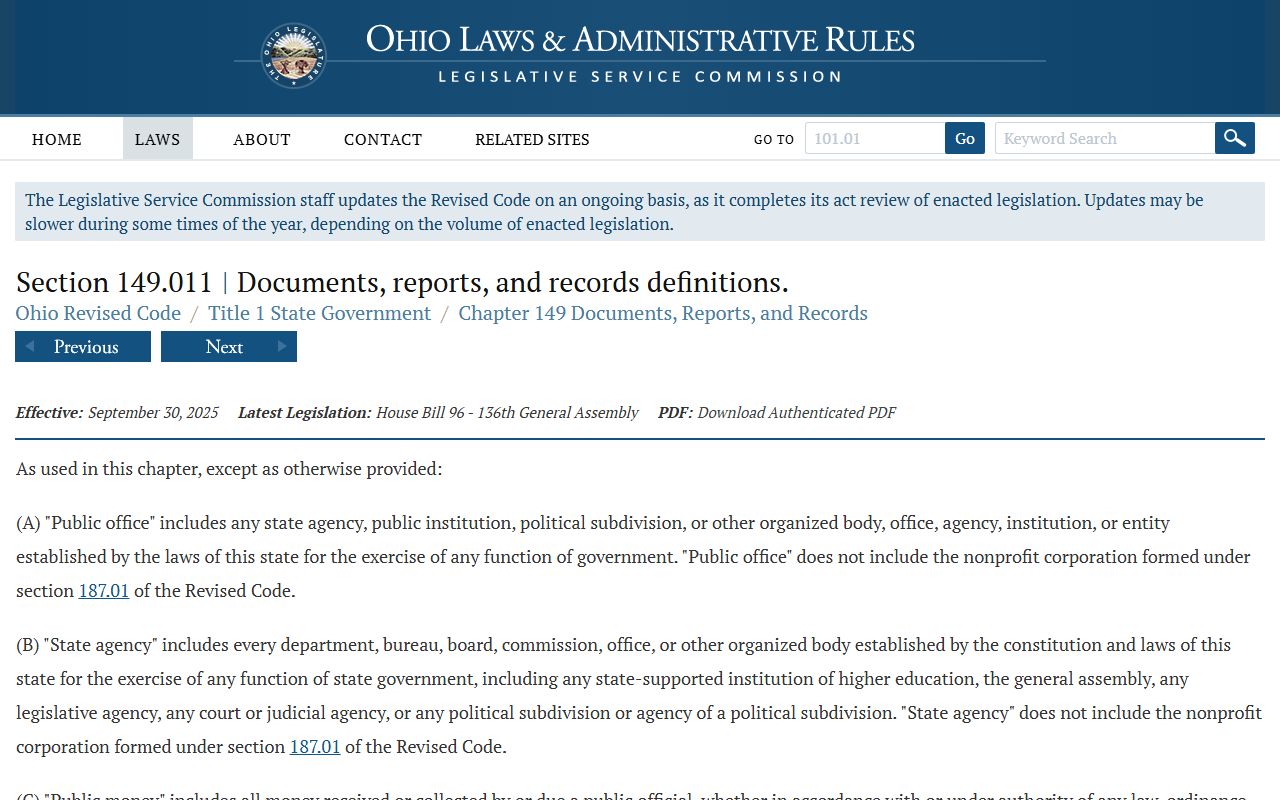
The definition of a public record matters here. R.C. 149.011 defines records as items that document a public office's organization, functions, policies, decisions, procedures, or operations. The Clerk quotes this definition in its own policy. The screenshot below comes from the Ohio public-record definition statute page, which the Clerk links as authority for what counts as a record subject to public access.
The Ohio Attorney General also runs a Sunshine Laws program at the Public Records Act overview page, which explains inspection rights and common exemptions in plain terms. That resource is useful if a request is denied or delayed and you want to know your options.
Key rule: Sup.R. 45(C) means the Hamilton County Clerk is not required to provide remote access to every case file or document, even when the record is public. If a document is not available online, visit the Clerk or submit a written request.
The Clerk's public-records policy also addresses clarity. Unclear requests delay processing. If a request cannot be identified with enough detail to find, retrieve, and review the records, the office will contact you for clarification. If records are redacted or denied, the office will explain the legal authority. Commercial requests are limited to no more than 10 records per month per company, and all agents of a company count toward the same limit. Commercial requesters must use publicrecords@cms.hamilton-co.org.
Sealed and Confidential Records in Hamilton County
Not every Hamilton County court record is open to the public. Several categories are restricted by Ohio statute or court order, and the Clerk's portal may show a case entry without making any documents available. The most common restricted categories are juvenile cases, sealed or expunged adult records, mental-health probate, and adoption files.
Juvenile cases are restricted under Ohio juvenile statutes. The subject of a juvenile case, their attorney, the court, and authorized agencies generally have more access than the general public. Ohio law provides sealing procedures under R.C. 2151.356 and expungement under R.C. 2151.358 for juvenile records.
Adult record sealing and expungement fall under R.C. 2953.32. An eligible person files an application in the court that handled the case. The court holds a hearing and weighs statutory eligibility, pending criminal proceedings, evidence of rehabilitation, and whether the government's interest outweighs the applicant's interest in sealing. If the court grants relief, official records are sealed or expunged and index references are removed, subject to limited statutory exceptions. Common reasons a court denies the application include an ineligible offense, a pending criminal case, a waiting period not yet satisfied, or a government objection.
Other restricted categories the Clerk policy identifies include Social Security numbers and personal identifiers, records of ongoing investigations, medical records, BMV records, and residential or familial information of peace officers, firefighters, EMTs, prosecutors, children-services workers, and corrections officers. Any record ordered sealed by a judge is also withheld. The Clerk marks redactions visibly so the requester knows a document was modified rather than missing.
To view a sealed record, a person typically needs statutory authority or a court order. Ohio Legal Help offers plain-language guides on sealing and expungement eligibility and the application process. The Hamilton County Public Defender handles indigent criminal defense and can advise eligible clients on sealing applications.
Requesting Copies of Hamilton County Court Records
Copies of Hamilton County court records can be requested in person at the Clerk's office, through the Clerk's online record request form, or by submitting a written request by mail. The Clerk's record request page says requests should be as descriptive as possible. Vague requests delay processing. Include a case number if you have one; page numbers can be found in the View Case Documents tab near the case summary when you view a case online.
The Clerk keeps court records going back to the late 19th and early 20th centuries. If records are archived or on microfilm, processing may take longer. Redactions required by Ohio law or a court order are visibly marked on copies. If hand redaction is required, costs may apply even when records are delivered electronically. Certified copies cannot be sent electronically under any circumstances.
| Item | Fee / Rule |
|---|---|
| Plain copy of Clerk record | $0.10 per page |
| Certified copy | $1.00 per page |
| Certified copy delivery | Cannot be sent electronically |
| Local government or county agency | Free |
| Photos, disks, other media | Actual cost |
| Mailing | Advance postage and mailing-supply cost may be charged |
| Commercial requests | No more than 10 records per month per commercial requester; must use publicrecords@cms.hamilton-co.org |
For in-person requests, the main Clerk counter for Common Pleas civil and criminal records is at 1000 Main Street, Room 315. Traffic and criminal ticket records are handled at the Justice Center counter. See the contact card below for addresses and hours.
Common Pleas Civil & Criminal Clerk
1000 Main Street, Room 315
Cincinnati, OH 45202
513-946-5699
8 a.m. to 4 p.m. Mon-Fri
Municipal Criminal / Traffic Clerk
1000 Sycamore Street, Room 115
Cincinnati, OH 45202
513-946-5699
8 a.m. to 8 p.m. Mon-Fri; bond window 24/7
Note: Background checks are separate from copy requests. Formal background checks are done only in person at the Justice Center, Room 100, Monday through Friday from 7 a.m. to 3 p.m.
Common Legal Terms in Hamilton County Records
Court records use specific terms that are not always obvious. A charge is not a conviction. A charge is what the state alleges. A conviction is the result after a plea or trial. Reading a docket clearly requires knowing what each entry type means.
- Plaintiff
- The person or entity that filed a civil case.
- Defendant
- The person or entity being sued or charged.
- Indictment
- A grand-jury charging document used in felony criminal cases in Common Pleas.
- Capias
- An Ohio court order to bring a person before the court; functionally similar to a bench warrant.
- Bench Warrant
- A warrant issued by a judge, often for failure to appear at a scheduled hearing.
- Disposition
- The final outcome of a case or charge, such as dismissed, convicted, or judgment entered.
- Dismissed with Prejudice
- Dismissed permanently; the case cannot be refiled.
- Dismissed without Prejudice
- Dismissed but may be refiled later.
- Continuance
- A postponement of a hearing, trial, or deadline.
- Garnishment
- A collection process that takes wages or funds to satisfy a civil judgment.
When a docket entry or code is unclear, contact the Clerk. The Clerk's office will explain terms but does not give legal advice. For legal advice, contact the Hamilton County Public Defender if you are an eligible criminal defendant, the Legal Aid Society of Greater Cincinnati for civil matters, or the Hamilton County Help Center for court-navigation help for self-represented parties.